![2617210b577d672136104a4f5660e04f07acf843-removebg-preview.png]](https://help.knowledgeanywhere.com/hs-fs/hubfs/2617210b577d672136104a4f5660e04f07acf843-removebg-preview.png?height=40&name=2617210b577d672136104a4f5660e04f07acf843-removebg-preview.png)
The Organizations feature gives a clean, scalable way to manage learning in an environment separate from the traditional Knowledge Anywhere LMS group system. Admins can define structure and invite who belongs to the Organization, push more tailored learning, and build a community. Each organization can operate with its own audiences, content, and reporting. This article serves as an overview that walks through the basics to see exactly how Organizations brings a different way to group and learners in your LMS.
Accessing Organizations as a Learner
-
Log in to your LMS.
-
Select the Organization icon on the navigation bar at the top right.

-
Your organization’s homepage will display.
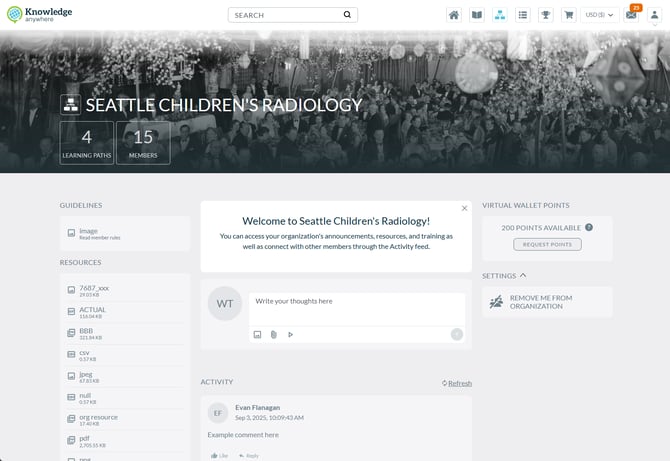
Using Organizations as a Learner
-
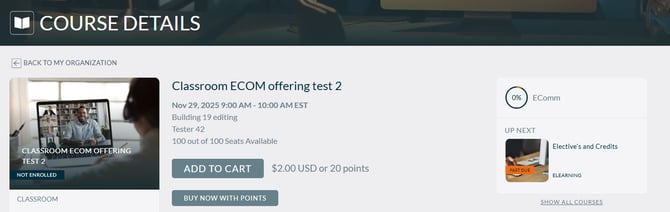
Check out unique training available - Take training specific to your organization, and use virtual wallet points to purchase other courses
- Utilize Resources - Take a look at all available resources specific to your Organization to understand your objectives, get questions answered, and more.
- Join the Conversation - Talk with other Organization members about your training and foster community discussions.
Accessing Organizations as an Admin
-
Log in to your LMS and access the Administrative Dashboard.
-
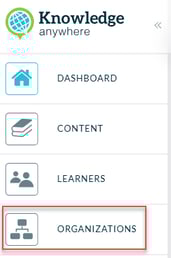
Select My Organization from the side navigation bar.
-
Your organization’s homepage will display.
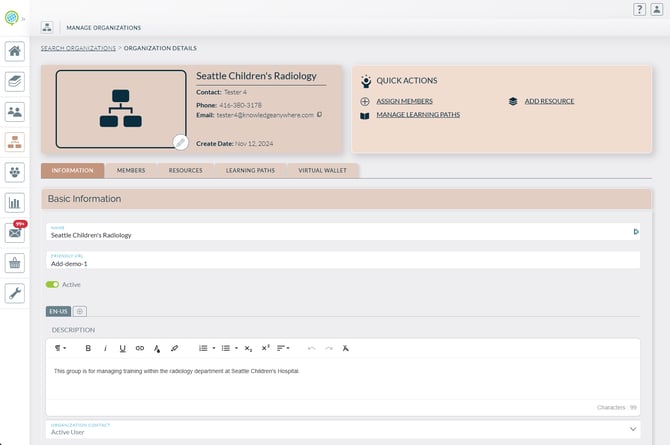
Using Organizations as an Global Admin
-
Focus on the training - Assign material that supersedes any existing group structure specific to these Organization members.
-
Manage all organizations - Oversee the creation and usage of Organizations, applying the Organization admin to their respective organization.
- Allow self-management - Each Organization Admin has the tools needed to successfully manage their learners and training.
Using Organizations as an Organization Admin
-
Manage Your Learners -Be able to manage your learners in your organization only, allowing for independent
-
Build a community - Allow for discussion around your organization, assigned content
- Resources - Separate and unique materials catered specifically for your organization.
- Reporting - use reports to check the progress of your learners specific to your organization.
Virtual Wallet Points (Optional)
- With ecommerce, utilize a Virtual Wallet points system where learners can apply for points and buy courses that interest them.
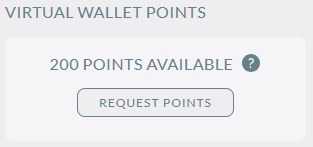
- Points can be used instead of money, allowing for several unique applications in utilizing organizations.
If you have any questions or would like support using Organizations, please reach out to our Customer Success Team at support@knowledgeanywhere.com as we are happy to help!