![2617210b577d672136104a4f5660e04f07acf843-removebg-preview.png]](https://help.knowledgeanywhere.com/hs-fs/hubfs/2617210b577d672136104a4f5660e04f07acf843-removebg-preview.png?height=40&name=2617210b577d672136104a4f5660e04f07acf843-removebg-preview.png)
.png?width=670&height=168&name=Email%20Header%20(1).png)
This week, we are excited to announce a new feature – Checklists. You can think of checklists as a step beyond learning paths, as they allow you to assign not only courses, but also other tasks. Checklists are ideal for onboarding new team members and are a powerful way to create complex learning workflows and monitor progress.
We’ve also made some improvements to the learner’s home page, but let’s take a closer look at checklists first.
Checklists
If a checklist is assigned to a learner, they will see it under My Checklists on their home page, and the tile in the banner shows how many checklist tasks are assigned to them.
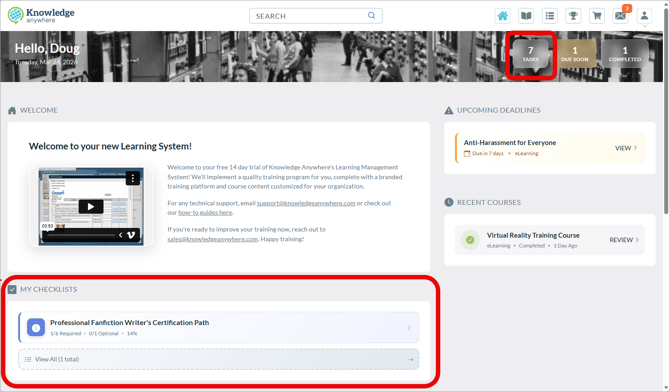
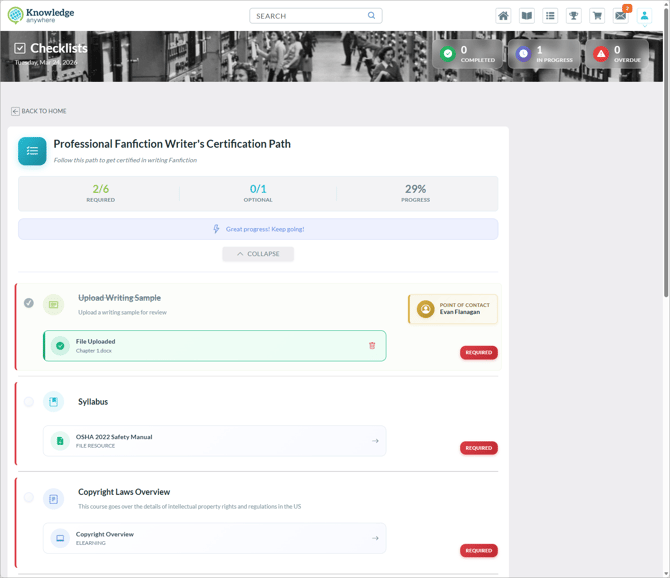
Clicking the reminder takes the learner to the checklist. Here, the first few tasks are to upload a writing sample, review a syllabus, and take a course on copyright laws. We can see that the first task is completed.
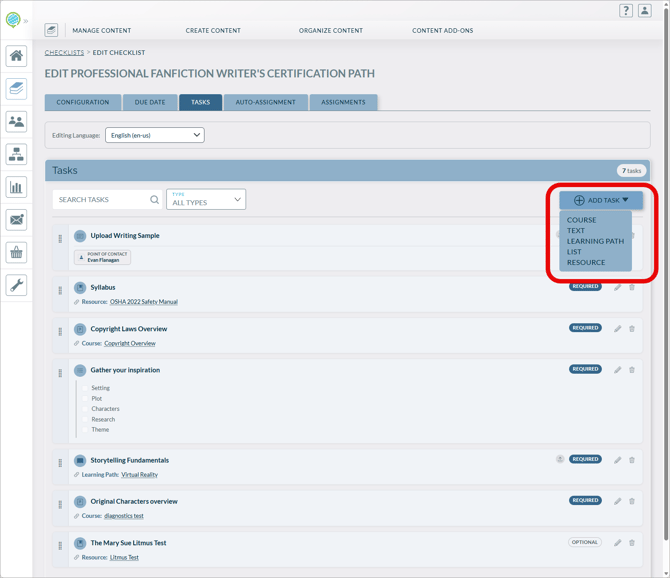
On the Administrator side, we can see how the checklist is built out. Administrators can add courses, text items, learning paths, lists of tasks to complete, and resources to review to the checklist.
There’s a lot more to checklists – administrators can assign due dates, make tasks required or optional, and run reports on checklist progress. You can even assign checklists based on hire date, which is a great way to automatically assign onboarding tasks to new team members. See our overview article for detailed information.
Learner UI Improvements
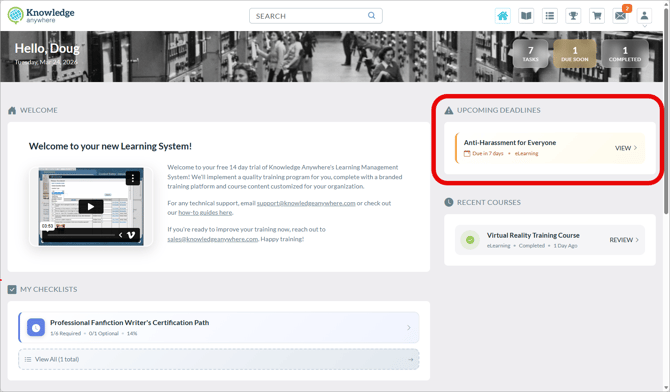
And there’s more this week. We’ve made some enhancements to the learner UI. The banner image is smaller (not as tall) to make better use of screen real estate, and Upcoming Deadlines are featured prominently.
If you have any questions or would like support using these new features, please reach out to our Customer Success Team at support@knowledgeanywhere.com as we are happy to help!