![2617210b577d672136104a4f5660e04f07acf843-removebg-preview.png]](https://help.knowledgeanywhere.com/hs-fs/hubfs/2617210b577d672136104a4f5660e04f07acf843-removebg-preview.png?height=40&name=2617210b577d672136104a4f5660e04f07acf843-removebg-preview.png)
New Feature: Checklists
Checklists: Overview
Checklists is a structured task management feature built into the LMS that gives organizations a way to guide learners through a defined set of activities — beyond just completing courses. Where a traditional learning path focuses on sequenced eLearning content, a Checklist is designed for broader onboarding workflows, compliance requirements, or any situation where completion involves multiple types of actions.
A checklist is made up of individual tasks, each of which can take one of several forms: launching a course or learning path, reviewing a resource (a file, link, or video), acknowledging a text item, or working through a list. Tasks can be marked as Required or Optional, and due dates can be set at both the overall checklist level and per task — either as fixed dates or relative to when the checklist was assigned.
The intention behind Checklists is to give teams a single, trackable structure for the kinds of multi-step processes that don't fit neatly into a course. Think new hire onboarding, safety compliance reviews, or role-based certification workflows. Situations where "did they watch the video and upload the signed form and complete the training?" all matter together, not independently.
Checklists: Admin Management Tools
Admins can fully create and manage checklists through a special interface, with flexible assignment, due date, and learner-level management tools. Admins have full visibility into where each learner stands, with the ability to intervene when needed, by adjusting due dates, marking tasks on a learner's behalf, or resetting a checklist when circumstances change.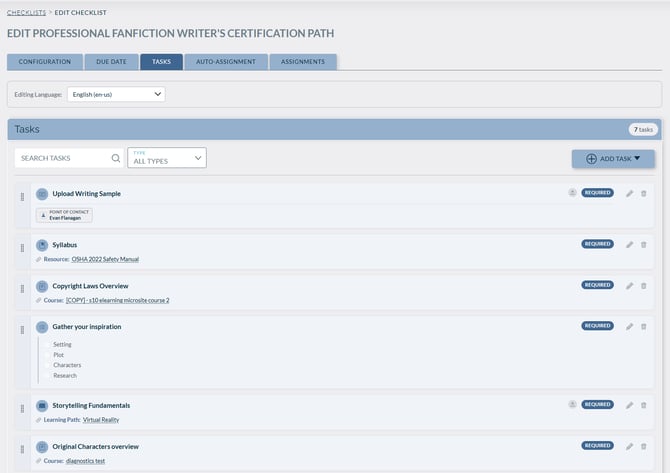
-
Set flexible due dates:
- Fixed date
- Relative to assignment date
- Per-task due date
-
Assign checklists directly to individual learners from their profile.
-
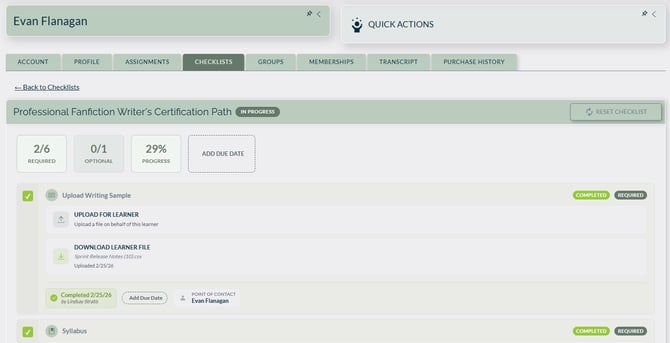
From a learner’s Checklists tab, admins can:
- View overall completion progress
- View per-task completion details
- Mark tasks complete or incomplete
- Upload resources on a learner’s behalf
- Download files submitted by learners
- Override the overall due date for a specific learner
- Unassign a checklist entirely
-
In the Assignments tab within Checklist Edit, admins can:
- See all assignees at a glance
- Click learner names to open their profiles
Checklists: Learner Experience
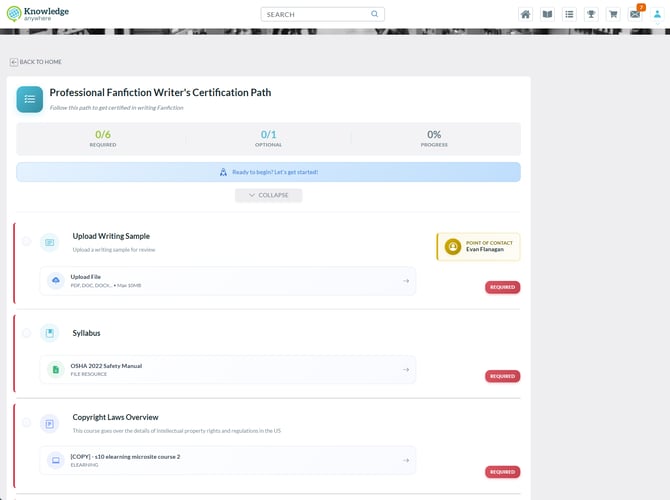
Learners get a clear, focused view of what's expected of them, how far along they are, and what still needs to be done, with clear progress tracking and quick access to checklist-related learning content.
-
Access a dedicated Checklists page and homepage section for all assigned checklists.
-
View key checklist details at a glance, including:
- Overall progress stats
- Due dates
- Task-by-task breakdowns
- Type-specific icons
- Encouraging progress prompts
-
Easily identify task requirements:
- Required
- Optional
-
Find related learning content more quickly by:
- Filtering the course catalog by Assigned by Checklist
- Accessing checklist-assigned courses as a dedicated learning path in the catalog
New Look: Learner Homepage
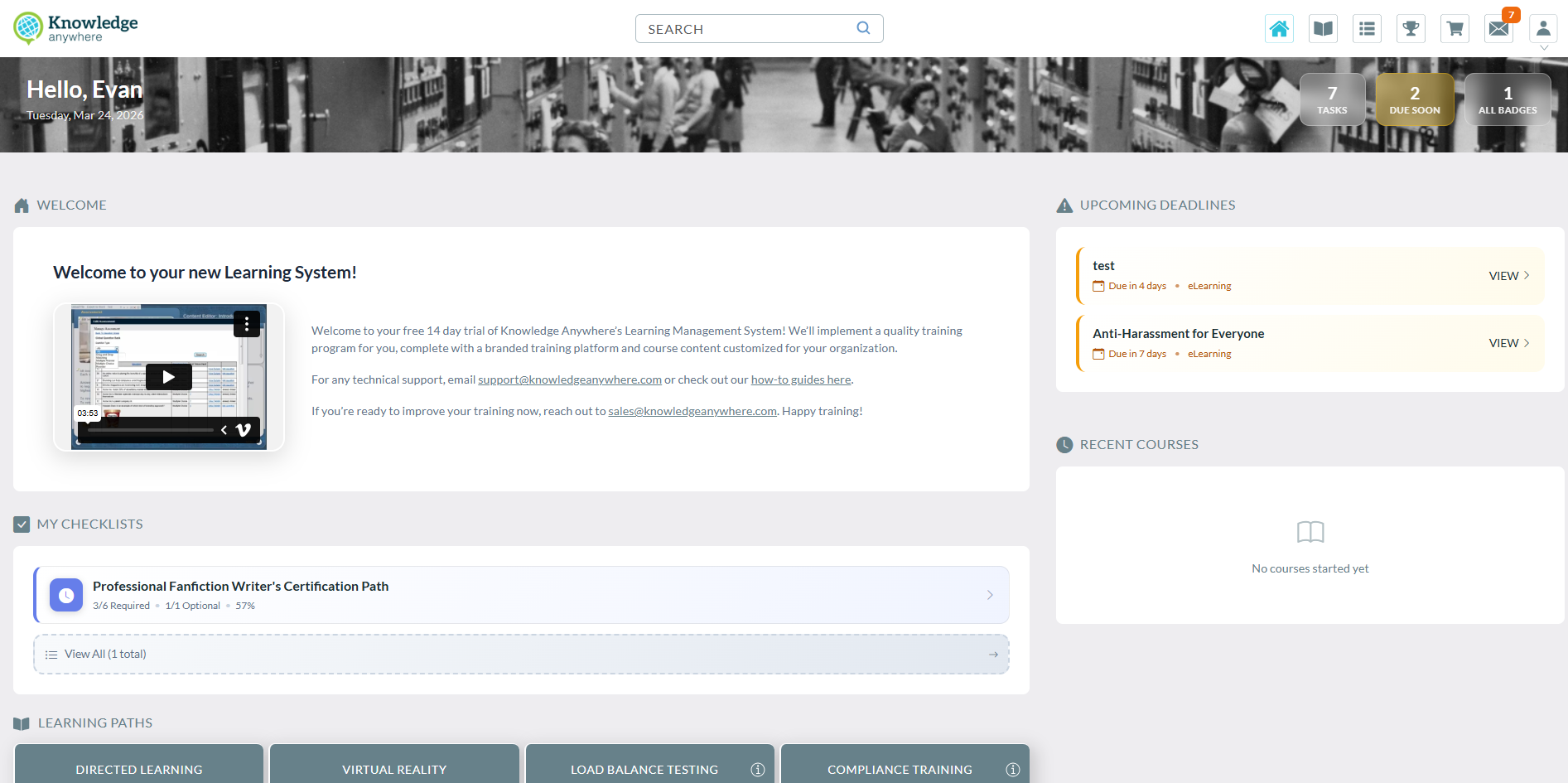
The Learner Homepage has been refreshed with a cleaner, more streamlined design. The updated layout makes it easier for learners to navigate training at a glance, with a dedicated Upcoming Deadlines section so a due date isn't missed, and a new My Checklists area to help track progress. Everything needed is still there, just presented in a more organized, modern way.
Before
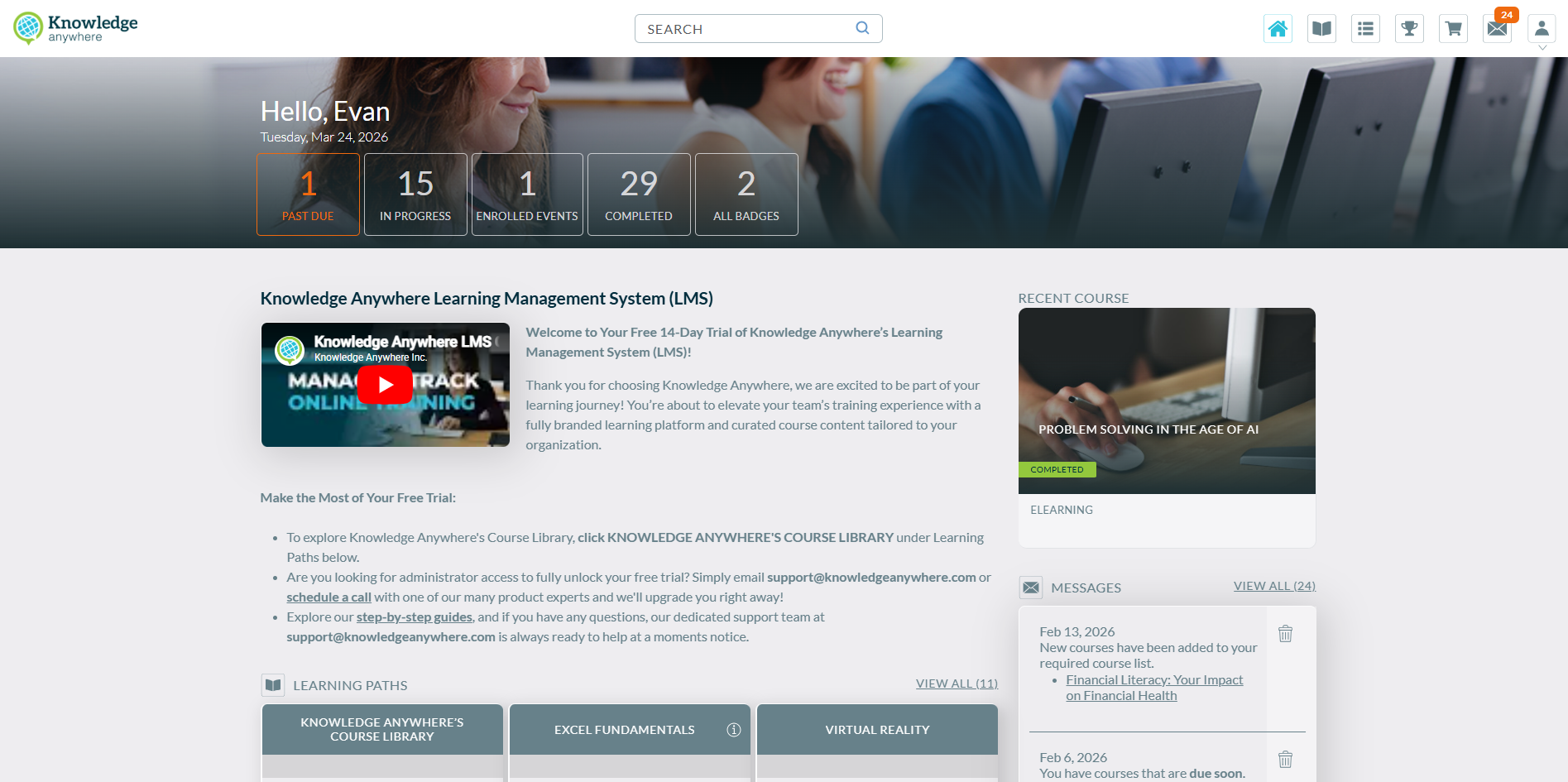
After
System Adjustments
[eCommerce] - EU Currency Formatting
Price display for European customers has been corrected to follow standard EU formatting conventions. Currency values in course listings, the shopping cart, and the checkout view now display correctly without the redundant currency acronym. This update ensures a consistent and compliant purchasing experience for non-North American customers.
[Reports] - Download Notification Overlap
Status notifications — such as the report-ready download message — no longer overlap with other active status bars. A layering issue was causing these messages to be covered before they could be seen.
[Admin] - Learner Companies Filter
The Companies filter on the Admin > Learners grid now functions correctly and no longer throws an error when a company name is entered or selected from the dropdown.
For any questions about this release, please reach out to support@knowledgeanywhere.com