![2617210b577d672136104a4f5660e04f07acf843-removebg-preview.png]](https://help.knowledgeanywhere.com/hs-fs/hubfs/2617210b577d672136104a4f5660e04f07acf843-removebg-preview.png?height=40&name=2617210b577d672136104a4f5660e04f07acf843-removebg-preview.png)
New Features
Course Studio
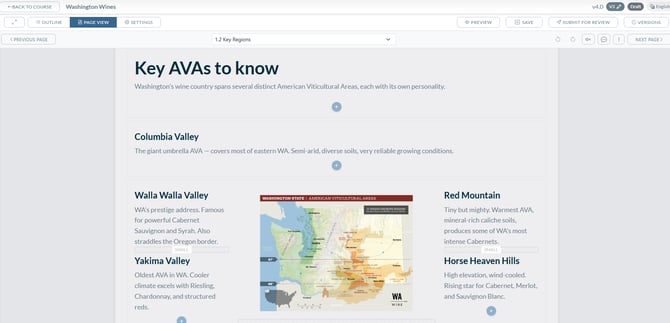
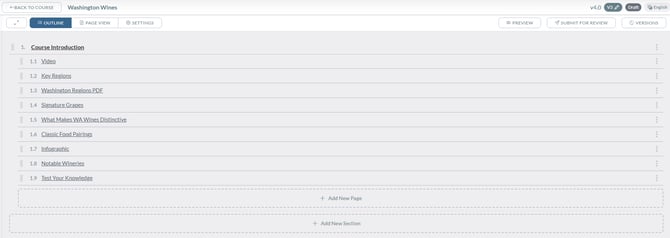
Introducing Course Studio, the LMS's new tool for course authoring. Bringing course building, styling, templates, review, and publishing into a single purpose-built workspace. Authors design responsive pages in a visual editor, configure exactly what counts as "complete," collaborate with reviewers through inline comments, and move courses through a clear Draft → In Review → Published lifecycle. Built-in templates, reusable styling, multi-language placeholder content, and automatic learner transitions on republish make it faster to launch new courses and easier to keep existing ones up to date.
Learn More about Course Studio here and here
Bug Fixes
[Course Completions] - SCORM Courses Not Marking Complete
A database-level issue was causing some learners to appear incomplete even after successfully finishing a SCORM course. The root cause was traced to duplicate user-course records that could be created under certain conditions, such as rapidly launching a course. This has been resolved and affected learner records have been corrected.
[Checklists] - "Reset" Button Renamed to "Refresh"
The button previously labeled "Reset" on checklists has been renamed to "Refresh" to more accurately describe its behavior, which adds newly assigned tasks rather than clearing existing ones.
[Checklists] - Checklist Refresh
The checklist refresh function was not adding new tasks to a learner's checklist when triggered. This has been corrected so that refreshing a checklist properly updates the learner's task list to reflect any newly added items.
[Checklists] - Error When Refreshing an Empty Checklist
Using the refresh function on a checklist with no tasks was causing an error screen. This has been fixed so that refreshing an empty checklist completes without error.
[Learning Paths] - Progress Bar and Icon Alignment on Cards
Progress indicators and icons on learning path cards were displaying out of alignment for some users. This visual issue has been corrected so that cards render consistently across the learner dashboard.
[Learning Paths] - Renewal Email Contains Broken Link
Automated renewal reminder emails for learning paths were including an incomplete or malformed URL that did not route learners to the correct learning path. The link generation logic has been corrected so renewal emails include the full, working URL.
[Admin Tools] - Error Deleting Courses
Admins were encountering errors when attempting to delete courses on certain sites due to a database constraint conflict. This has been resolved so that course deletion completes successfully.
[Admin Tools] - Course Duration Validation Message
When setting a course duration to a value outside the allowed range, the validation message only stated that the value must be a number without indicating the acceptable range. The message has been updated to clearly communicate the valid minimum and maximum values.