![2617210b577d672136104a4f5660e04f07acf843-removebg-preview.png]](https://help.knowledgeanywhere.com/hs-fs/hubfs/2617210b577d672136104a4f5660e04f07acf843-removebg-preview.png?height=40&name=2617210b577d672136104a4f5660e04f07acf843-removebg-preview.png)

Course Studio just got more interactive. Add self-checks, flip cards, hotspots on an image, tabs, accordions, side-by-side comparisons, and many more interaction types to your Studio courses. For more information, see our Help article.
New Question Type
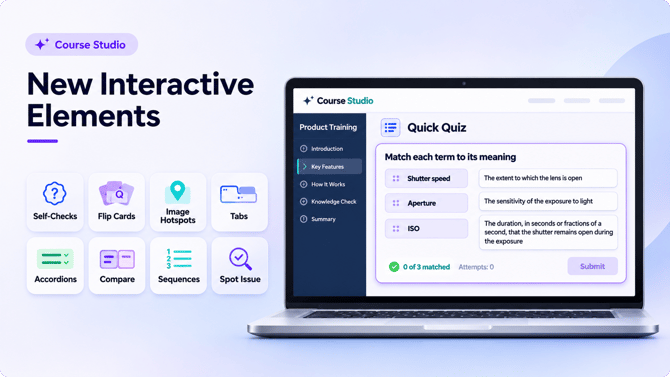
We’ve added a fourth question type alongside Multiple Choice, Multiple Select, and True/False – Fill in the Blank. Write a question with one or more inline blanks; learners must type the missing words. You can set how the response is graded by requiring an exact match with the correct answer specified, accepting fuzzy matches, or just requiring a keyword.
Watch On Demand
Assistant AI for Course Studio Webinar
|
Missed last month’s webinar? Watch the recording here to see how Assistant AI supports course creation and review inside your Knowledge Anywhere LMS. |
|
|
If you have questions about Course Studio or the newly released Assistant AI for Studio, reach out to our Customer Success team. |
Also In This Release
More capable. More flexible. More secure
- Improving how Assistant AI for Studio uses learning objectives to drive content generation.
- Removed the character limit on Additional Instructions, allowing Assistant AI for Studio to use longer and more detailed instructions.
- Increased security on assessments. These changes are behind the scenes, and do not affect what administrators or learners see.
| View the full release notes |
Help Center
Plan instructor-led training with confidence
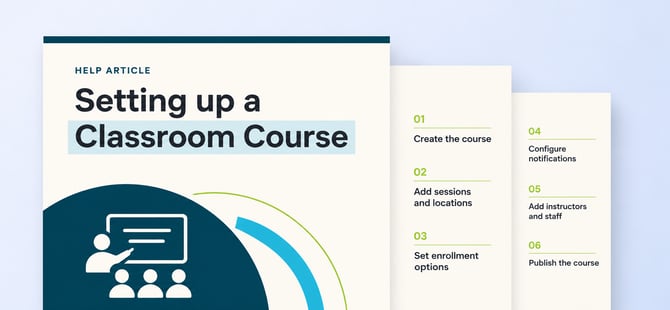
We’ve refreshed two guides for managing live training in the LMS — from in-person classroom sessions to webinars.
|
Classroom coursesCreate multiple offerings, assign locations and instructors, and manage enrollment and waitlists. Read the guide → |

|
WebinarsUse classroom-course tools to schedule, enroll, and track learners attending a live webinar. Read the guide → |
If there's any questions, please reach out to our friendly customer success team at support@knowledgeanywhere.com.