![2617210b577d672136104a4f5660e04f07acf843-removebg-preview.png]](https://help.knowledgeanywhere.com/hs-fs/hubfs/2617210b577d672136104a4f5660e04f07acf843-removebg-preview.png?height=40&name=2617210b577d672136104a4f5660e04f07acf843-removebg-preview.png)
This week’s LMS release focused mainly on behind-the-scenes enhancements, including Certifications improvements based on beta feedback, changes needed for the upcoming release of our Mobile App, and security updates.
For complete details on the release, see our release notes.
GETTING THE MOST
Learning Paths, Checklists, and Certifications
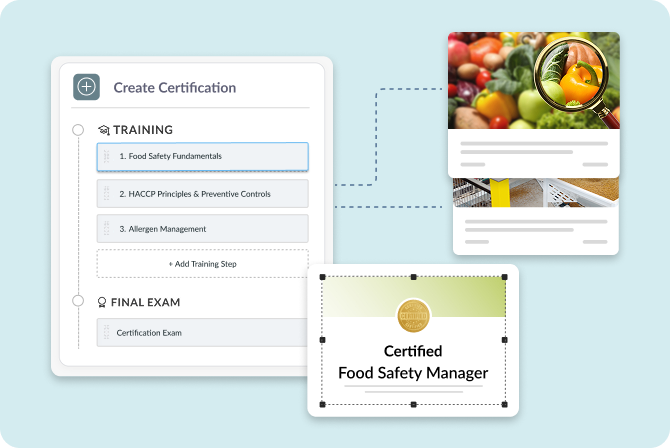
With the release of Checklists earlier this year and the availability of Certifications, you now have more options for organizing content for learners.
- Learning Paths: Bundle a set of courses into a structured training program.
- Checklists: Assign a broader mix of activities beyond LMS courses, making Checklists ideal for tasks such as new employee onboarding.
- Certifications: Add sophisticated administration, tracking, versioning, and credentialing to the training pathway for formal certification programs.
If you need more help choosing the best approach, see our article, What’s the Best Way to Assign Learning: Learning Paths, Checklists, or Certifications?
MASTERING YOUR LMS
Course Studio Review Workflow
If you author courses in Course Studio, are you taking advantage of its built-in review and approval tools? Our Workflow article provides the details, but here are some tips:
- Assign Reviewers first. Navigate to the course and open the Collaborators tab. Add other Admins in your system to the course. Collaborators must have Reviewer, Editor, or Global Admin roles.
- Click Submit for Review in the version management area. This moves the course from Draft status to In Review status and notifies your designated Reviewers that the course is ready for feedback.
- Reviewers can leave comments and tag other reviewers or course developers.
.png?width=323&height=311&name=comments%20dialog%20(1).png)
- Once the comments have been addressed, click Approve All Changes. You must have Editor rights to complete this step.
- Click Publish to make the course available for assignment to learners. You must also have Editor rights to publish the course.
If you have any questions or would like support using these new features, please reach out to our Customer Success Team at support@knowledgeanywhere.com as we are happy to help!