![2617210b577d672136104a4f5660e04f07acf843-removebg-preview.png]](https://help.knowledgeanywhere.com/hs-fs/hubfs/2617210b577d672136104a4f5660e04f07acf843-removebg-preview.png?height=40&name=2617210b577d672136104a4f5660e04f07acf843-removebg-preview.png)
.png?width=670&height=168&name=Email%20Header%20(1).png)
New tools. New updates. New reasons to log in.
LMS Updates
-
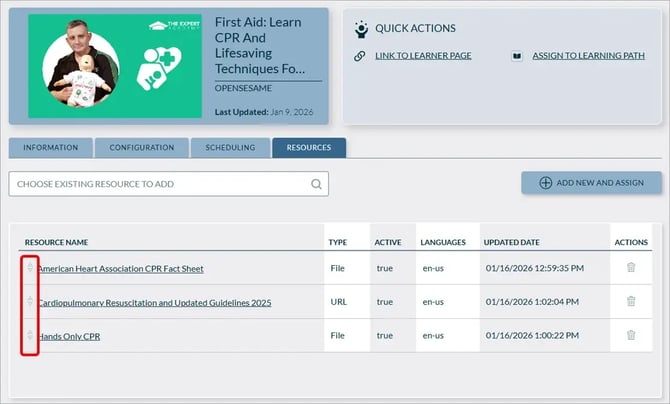
Admins can now reorder resources via drag-and-drop in both Course and Self-Study resource lists, and the updated order is reflected for learners.
-
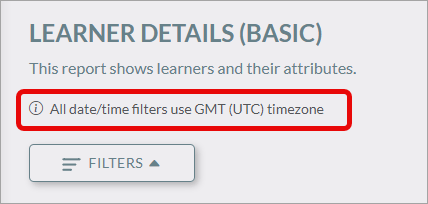
Time zone for report Date/Time filters is clarified.
-
And, as usual, we implemented several issue fixes and minor UI enhancements.
For details, see our changelog.
Featured Article: Importing Learners
When was the last time you checked out our Help Center? It's a great resource for getting the most from your LMS.
The Knowledge Anywhere LMS allows for mass import of learners. This article shows you how to import new learners or update existing learner data using our provided CSV template or the public API.
Course Library
Our Knowledge Anywhere course library continues to grow. This month, we added Intermediate AI Prompt Engineering and Financial Statement Fundamentals & Industry Patterns.
If you or your team want to learn more about AI, check out our entire series of AI courses. These courses can help you refocus your career and make better use of AI tools.
-
Navigating Your Career in the Age of AI: A Guide for Office Workers explains how AI may affect your career and what you should do to remain successful in this changing workplace.
-
Introduction to AI: A Guide for Office Workers helps you get started with AI tools.
-
Intermediate AI Prompt Engineering helps you write better prompts to get the most from AI.
- Coming soon: Problem-Solving in the Age of AI will help you integrate AI into an effective problem-solving process.
These courses are free to Knowledge Anywhere LMS customers.* We provide SCORM files that integrate easily with your Knowledge Anywhere LMS. Or, if you would like to use one of our courses as a starting point for your own customized course, you can purchase the Articulate source file, which you then have the license to edit.
If you are interested in these courses, please contact us.
*Limitations apply.
If you have any questions or would like support using these new features, please reach out to our Customer Success Team at support@knowledgeanywhere.com as we are happy to help!